
Adding a Livestreaming Production Sub-Account

Adding a Livestreaming Production Sub-Account

When it is time for your livestream, you can set up a separate production sub-account with limited access only to the streaming for your event. This sub-account is completely optional. If you are controlling all your livestreams yourself, you can simply use your artist account.

But if you have a larger production, then with a sub-account, you can simply give access only to the streaming part of your event, all the rest of your account is kept separate.

Here are the steps to setup and manage production sub-accounts

Step 1. Navigate to Sub-Accounts in Your Profile

Click ‘My Profile’

Select ‘My Team’

Click ‘My Sub Accounts’

Step 2. Create a Production Sub-Account

Click ‘Create Sub-Account’

In the pop-up, give your sub-account a user name, and select the Live Stream role

Click ‘Create’ to make the sub-account

We will auto-generate the password.

Step 3. Copy User Name and Password

You can now copy your user name and password for the sub-account.

From the action menu you can generate a new password or delete this sub-account

Step 4. Log in to vproduction.vyb.co

We have a dedicated site, vproduction.vyb.co for your production team. Simply login with the sub-account username and password

Step 5. You are ready to go!

Your production team will see all your upcoming events. They can simply select the event and setup and run all the streaming.

Selecting an upcoming show will allow you to set up and test your livestreaming. You won’t be able to start the show, but you can test.

‘Make Test Recording’ streams out 30 seconds of audio and video to the vyb servers. You can watch and listen to the playback to ensure you have the correct quality.

‘Test Event’ allows you to send a link out to multiple people who can watch/listen to the setup. Test Event is available up to 15 minutes before the event.

You can re-use the sub-account name and password for different events, or to be more secure, reset the password for each event.

Six Easy Steps to Start Selling Your Videos Today

Six Easy Steps to Start Selling Your Videos Today

On vyb, you can upload and sell videos that you have previously recorded. Your recordings of old performances are a great way to give your fans more – they want to buy from you. Maybe you had a really hot show last fall or you have early band videos. Maybe you want to sell instructional videos to your following. Here at vyb we can help do do all of that!

For your Super Fans, consider selling this only to Subscribers. That way you encourage and reward your most loyal fans. You can also open it up to everyone but give your Subscribers a discount.

Your videos are encrypted and can’t be downloaded. Fans can only purchase and watch them by going to vyb.

Ensure you have the rights to any video before you upload it, we don’t want to have to pull it down!!

Below are the steps to uploading your videos to sell on vyb:

Step 1

Uploaded videos are going to show in your Events Library.

Click “My Dashboard”, “My Created Videos”

Click “Upload Event Video”

Step 2

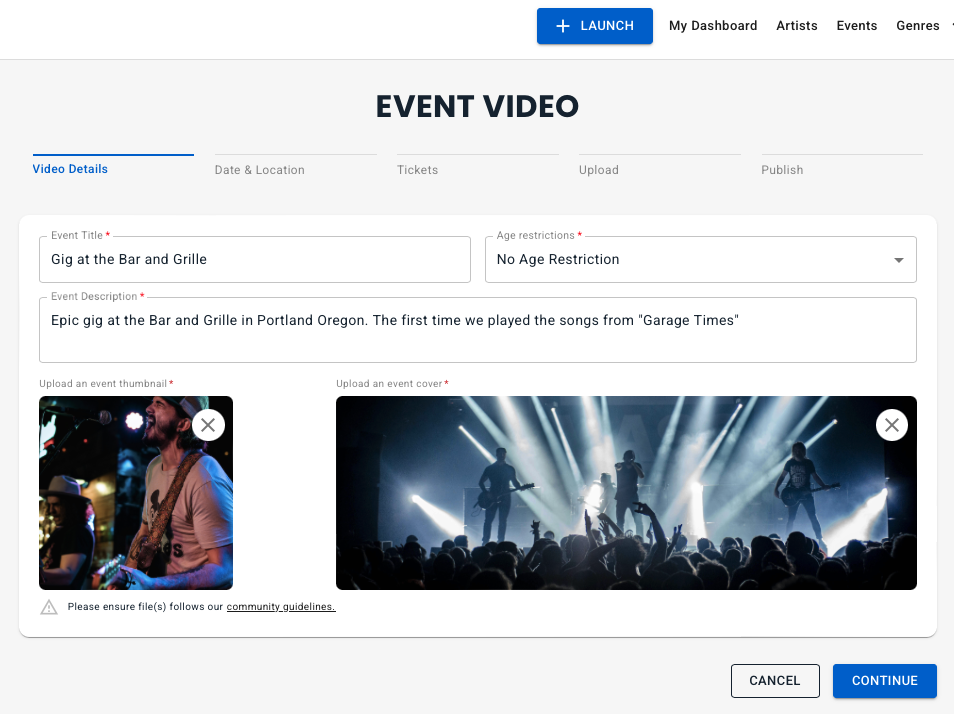
Edit the Title and Event Description. Make them descriptive and fun to give your fans a reason to buy.

Add a thumbnail and cover image

Step 3

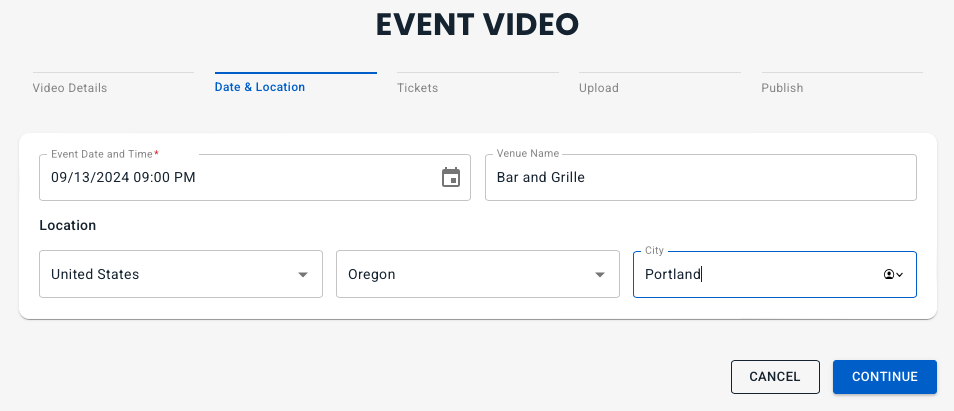
Edit in the date and time when the video was recorded.

Add the name of the venue and the Country, State and City

Step 4

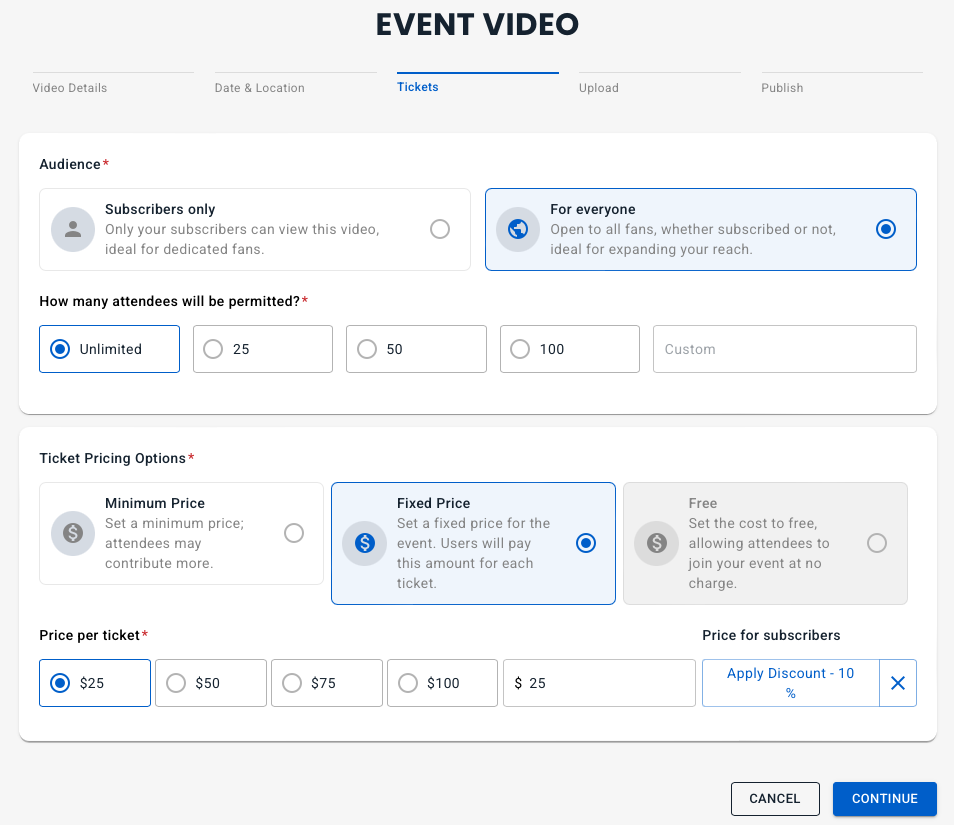
Set the ticket pricing.

You can choose to make it exclusive for subscribers or open to anyone.

Choose the number of people who can buy the video, either unlimited or make it selective.

Set the pricing option. Free is only allowed for Subscriber Only. Minimum Price option lets your fans pay more, like a built in tip.

Set the pricing and the if your Audience is For Everyone, set the subscriber discount

Step 5

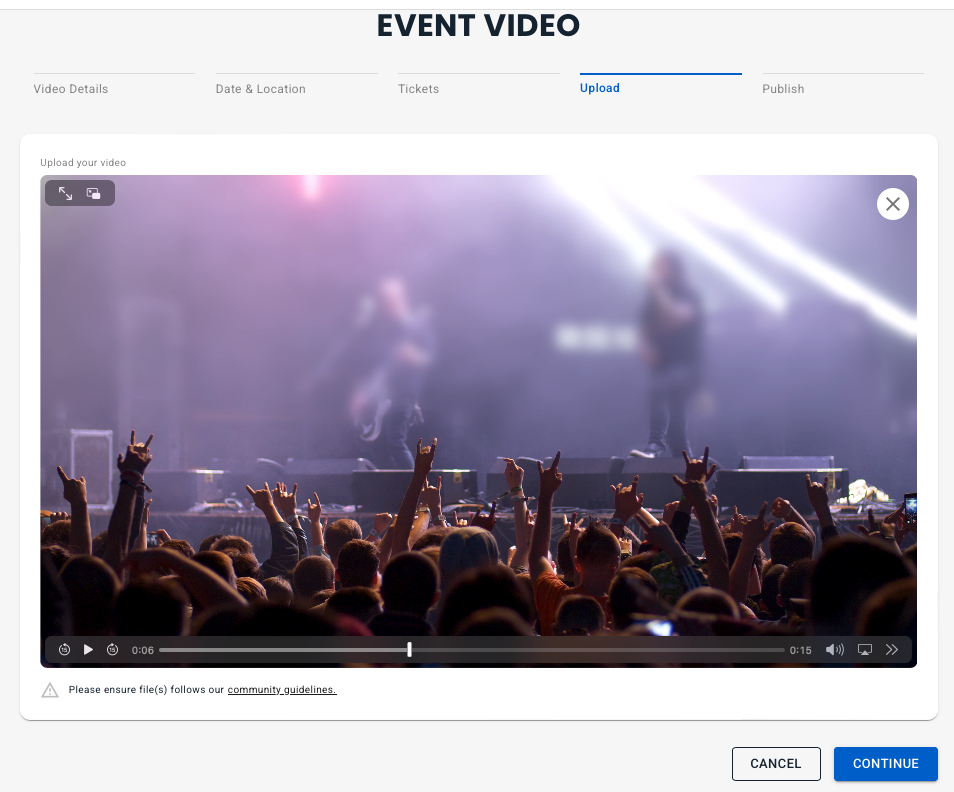
Now you can upload your video

After you have uploaded it, you can watch the video using the video controls to skip through and check the quality and audio.

Step 6

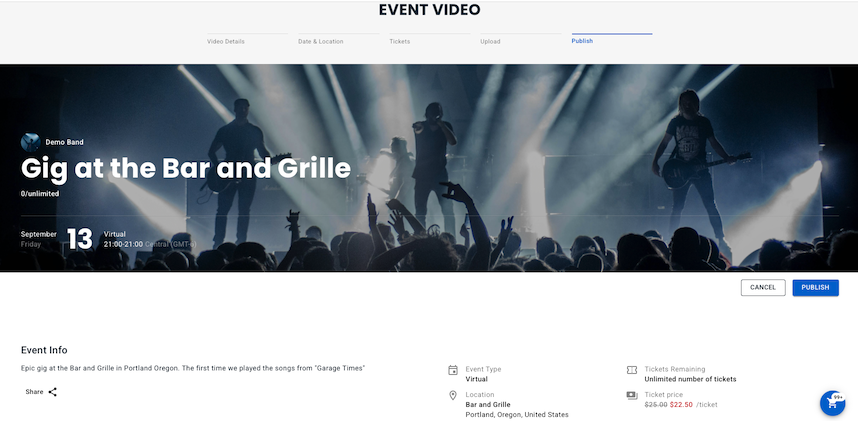
Now do a final check of the pricing and access, then hit Publish.

Once you’ve hit publish, your event is available to be purchased by your fans.